
Finding Your Way Around
Where everything is: the menu on the left, the bar across the top, the Dashboard, and the shortcuts that save time at the till.
The menu
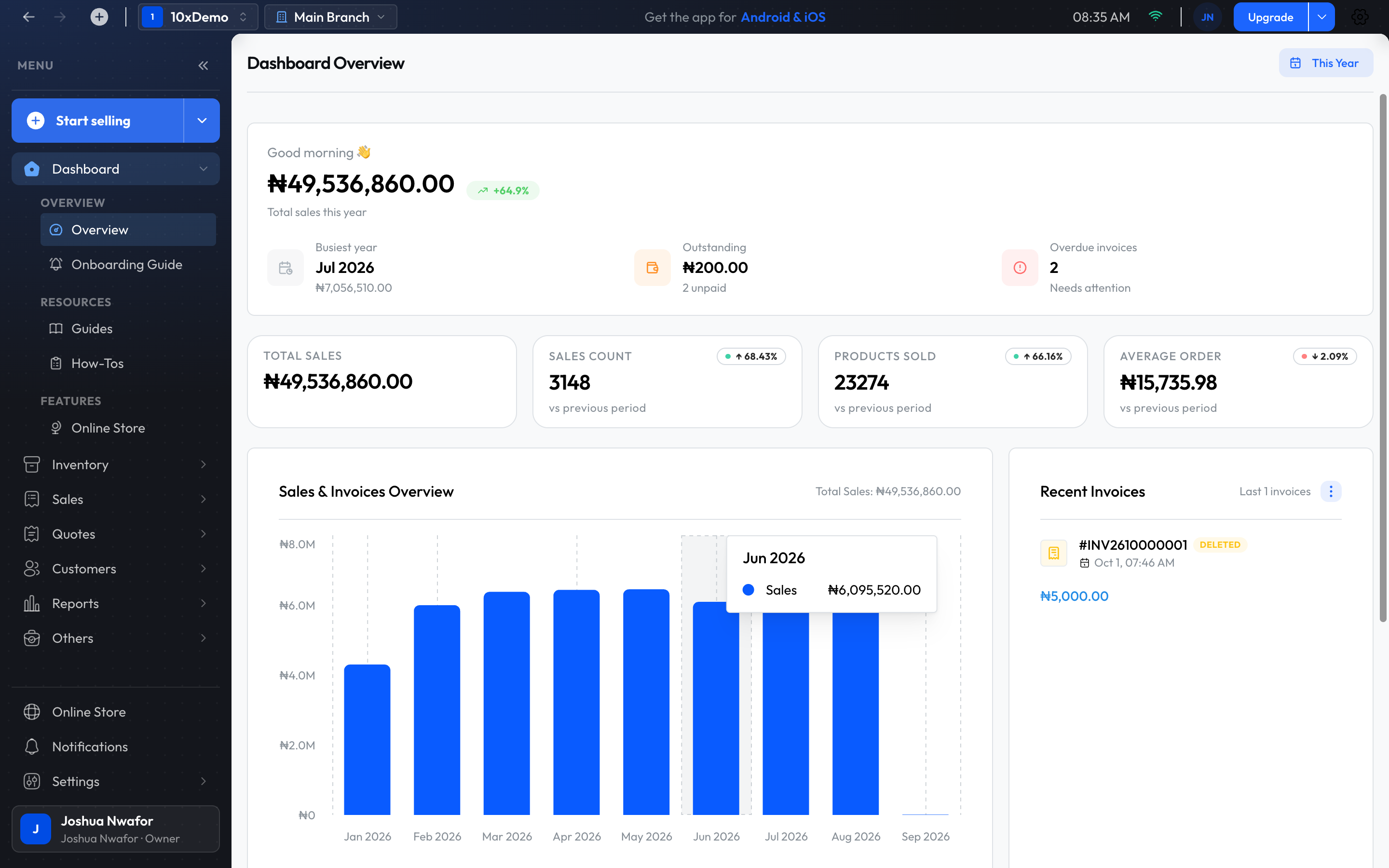
The menu runs down the left side. Clicking a section opens its pages; the arrow at the top collapses the menu to icons.
- Start selling: opens the checkout. The arrow beside it has shortcuts: POS checkout (a full-screen till), New Product, Transfer Stock, New Purchase and Add Customer.
- Dashboard: the day's figures, the Onboarding Guide, Guides and How-Tos.
- Inventory: products and everything to do with stock.
- Sales: every sale, returns and credit notes.
- Quotes: estimates for customers.
- Customers: customers, customer groups and suppliers.
- Reports: sales, profit, stock, debts, staff and customers.
- Others: expenses, transactions, payouts, the tax calculator, activity logs, automations, and importing or exporting data.
- At the bottom: Online Store, Notifications and Settings, then your profile card with Contact Support, Help Center and Logout.
The top bar
- Back and forward arrows, and tabs: the + opens another page in a new tab inside the app.
- Business name: Switch Business, Create Business and Refresh Credentials.
- Branch name: click it to open Switch Branch. The app reloads in the branch you pick.
- Connection indicator: shows Online, No connection or Offline mode, and how many sales are waiting to be sent. See Offline Mode.
- Your picture: Switch Member and Sign Out, for shared computers.
- Subscription button: reads Subscribe, Upgrade or Reactivate, and opens Billing.
- Gear: Refresh data, Refresh products and Go to settings.
- Check for Updates: in the desktop app only.
The Dashboard
Dashboard Overview shows how the branch you are in is doing. The period selector at the top right starts on Today; change it to yesterday, the last 7, 30, 90 or 180 days, this week, month or year, all time, or a Custom Range.
- Total sales for the period, with how it compares and a small trend line.
- Highlights: your busiest time, what is Outstanding, and Overdue invoices.
- Pending payout: shown when money from online orders is on its way to your bank, with View payouts.
- Total Sales, Sales count, Products Sold and Average Order.
- The Sales & Invoices Overview chart.
- Recent Invoices, Top Selling Products and Unpaid Invoices.
To see another branch, switch branch from the top bar. For figures across all branches, use Reports.
Onboarding Guide, Guides and How-Tos
- Onboarding Guide: ten first steps, from adding a product to making a sale, with your progress. Open a step with Start Now and tick it off with Mark as Complete.
- Guides and How-Tos: videos and articles from the ShopkeeperPOS team, inside the app.
Notifications
Notifications, at the bottom of the menu, lists alerts for the business and the branch, newest first: low stock, new invoices, payments and so on. Opening the page marks them as read. You can delete any you don't need.
Search and shortcuts
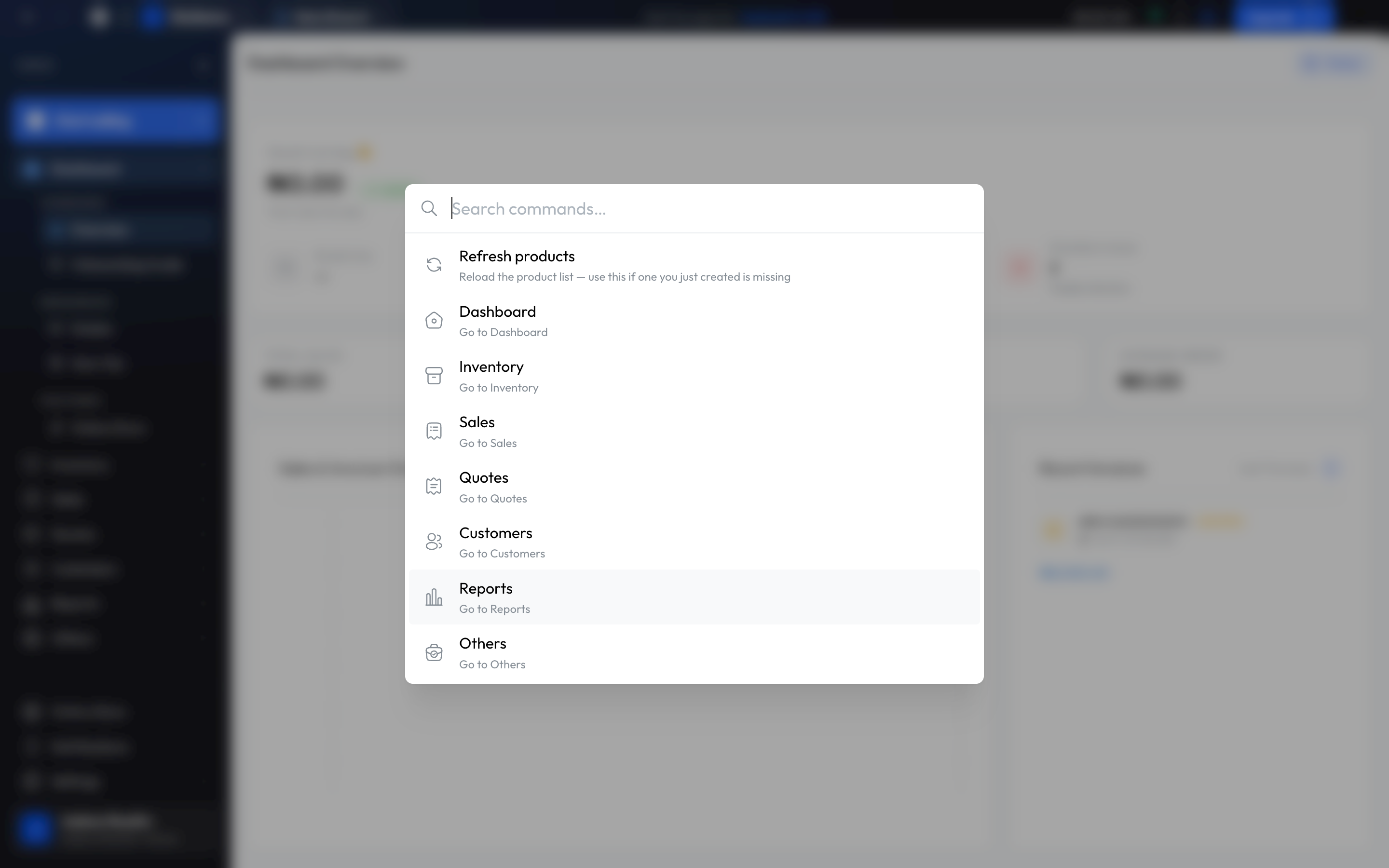
On a Mac, use ⌘ where this says Ctrl.
- Ctrl+K: opens Search commands…. Type a section name to jump to it, or choose Refresh products.
- Ctrl+Enter at the checkout: the same as Record sale.
- Ctrl+P on a report: prints it.
Tip
Related
Still stuck? Contact support.