
Reports
Reports turn your sales, stock, expenses and debts into answers: what sold, what you earned, what you are owed and what to reorder.
- Where to find it
- ReportsAll reports
- Who can use it
- Roles that can see reports, on a branch with an active subscription. Reports that show cost and profit need an Owner, Admin, Manager, Financial Manager or Accountant.
The reports
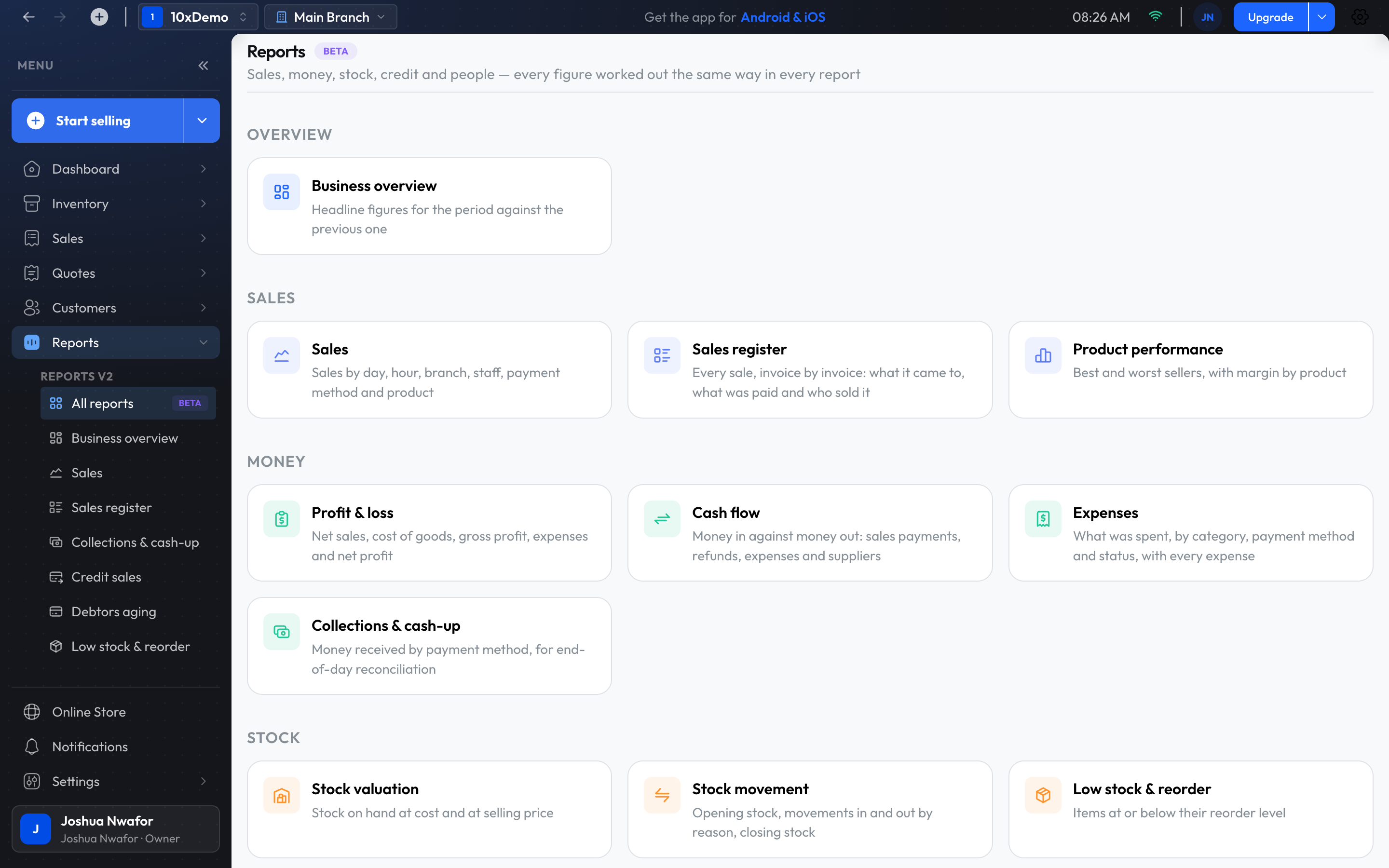
All reports lists every report in six groups. The ones used most are also in the Reports menu.
Overview
- Business overview: Headline figures for the period, against the previous one.
Sales
- Sales: Sales by day, hour, branch, staff, payment method and product.
- Sales register: Every sale, invoice by invoice: what it came to, what was paid and who sold it.
- Product performance: Best and worst sellers, with the margin on each product.
Money
- Profit & loss: Net sales, cost of goods, gross profit, expenses and net profit.
- Cash flow: Money in against money out: sales payments, refunds, expenses and suppliers.
- Expenses: What was spent, by category, payment method and status.
- Collections & cash-up: Money received by payment method. Use it for the end-of-day count.
Stock
- Stock valuation: Stock on hand, at cost and at selling price.
- Stock movement: Opening stock, what came in and went out by reason, and closing stock.
- Low stock & reorder: Items at or below their reorder level.
- Dead & slow stock: Stock that has not sold, and the money tied up in it.
- Sell-through & days of cover: How fast items sell and how long the stock will last.
- Shrinkage: Stock lost, according to your stock takes.
Credit
- Debtors aging: Who owes you, grouped by how late they are.
- Credit sales: What was sold on credit in the period, and how it has been paid since.
- Customer statement: One customer's sales, payments and balance.
- Purchases & payables: Stock bought from suppliers, and what is still owed.
People
- Staff performance: Sales, discounts, returns and deletions by team member.
- Customers: New against returning customers, top customers, and how recently and often they buy.
Profit & loss, Cash flow, Expenses, Stock valuation and Shrinkage show cost and profit, so they need a role that can see them. Other roles see a note on the reports page instead.
Read a report
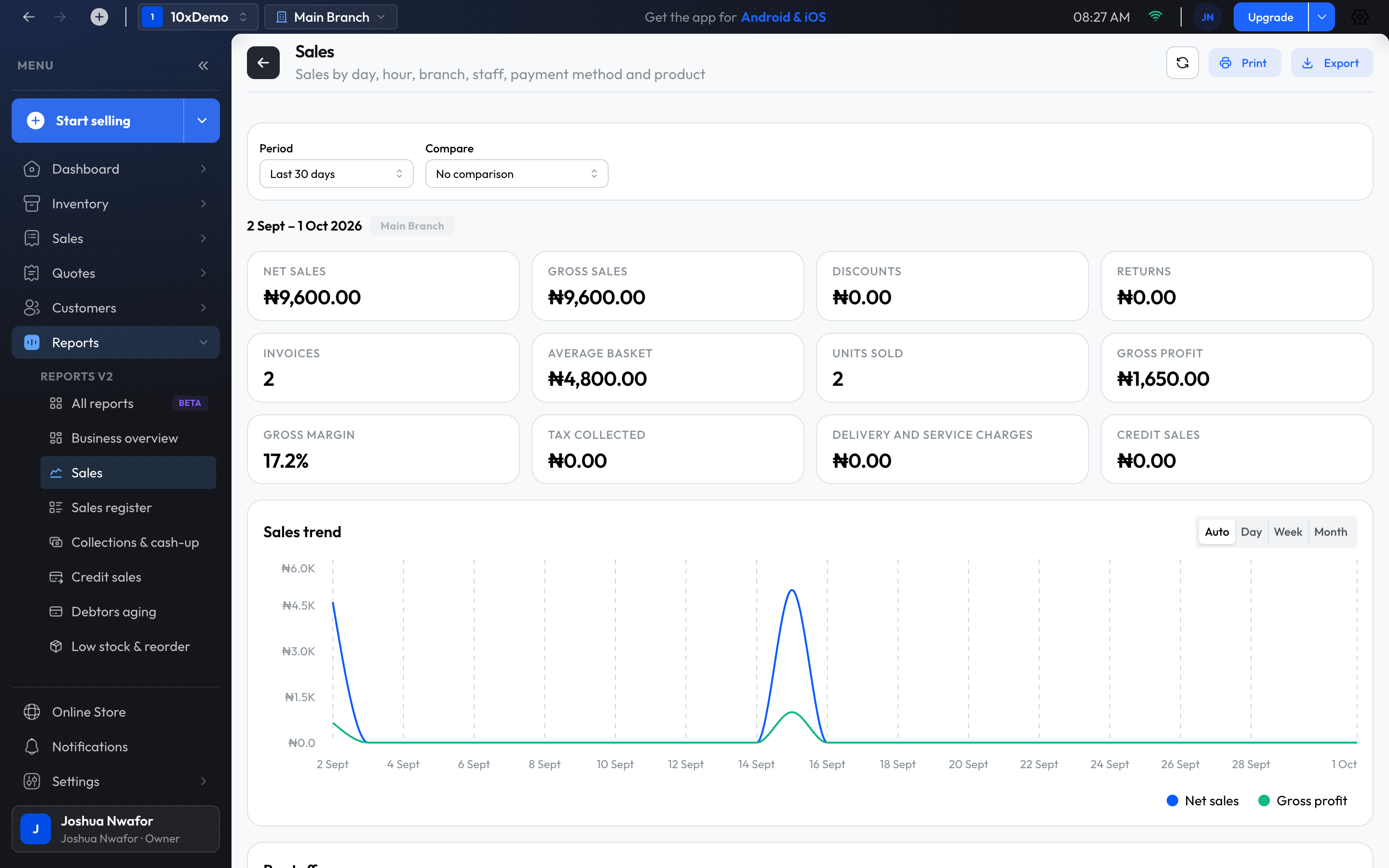
Every report has the same bar at the top:
- Period: today, yesterday, the last 7 or 30 days, this or last week, month, quarter or year, or a custom range. It starts on the last 30 days.
- Compare: against the previous period, or the same period last year.
- Branches: This branch or All branches. Shown to people who work in more than one branch.
- More options: extra filters that some reports have.
- Refresh: fetch the latest figures.
Print or export
- Print, or Ctrl+P (⌘P on a Mac), prints the report as it is on screen.
- Export downloads it as Excel (.xlsx), CSV or PDF, with the same period and filters.
How the figures are worked out
- Sales figures count sales made in the shop. Online store orders aren't included.
- A sale counts on its invoice date. Draft, cancelled and deleted invoices aren't counted.
- Profit is the selling price less the product's cost price. A product with no cost price shows its profit as unknown, not as all profit.
- Stock is valued at each product's current cost price.
- Only approved or paid expenses count in profit and loss.
Tip
If profit looks too low or shows as unknown, look for products with no cost price. Bulk Edit in Products is the quickest way to fill them in.
Reports by email
The owner gets a daily sales snapshot, a weekly sales report and a monthly profit and loss by email. These are standard automations; they can be switched off in Others → Automations.
Advanced Reports
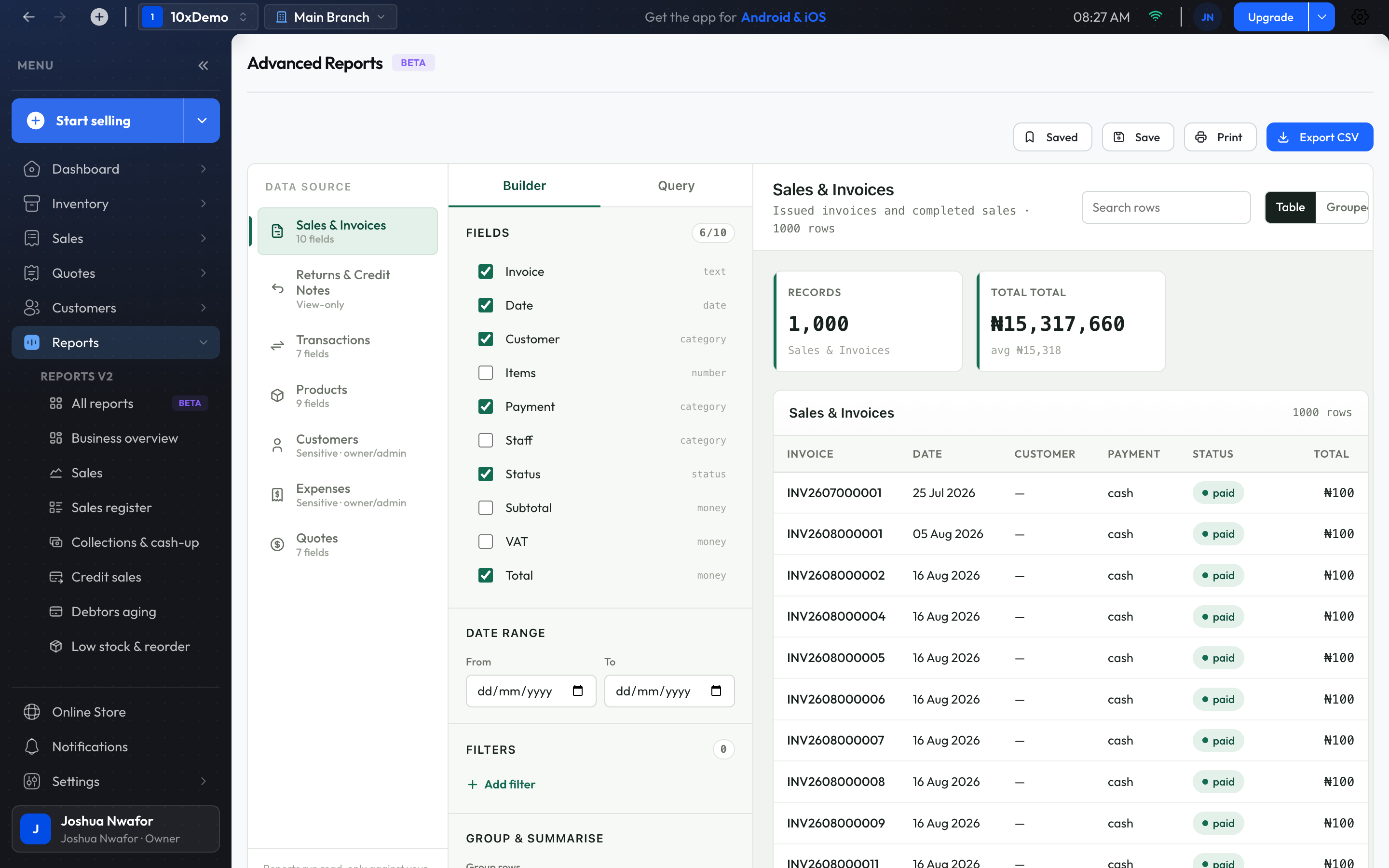
Advanced Reports lets you build your own report: pick a data source, choose the columns and filters in Builder mode (or write a query in Query mode), then Save, Print or Export CSV. It is on the Premium and Enterprise plans, and marked Beta.
Other report pages
- Sales → Sales Report and Customers → Customer reports are earlier report pages that are still in those menus.
- The Dashboard shows the day's figures for one branch.
If a report won't open
- Subscription Required: the branch has no active plan. See Plans & Billing.
- Reports isn't in the menu: your role can't see reports. Ask the owner.
- You are offline: reports need a connection.
Related
Still stuck? Contact support.